

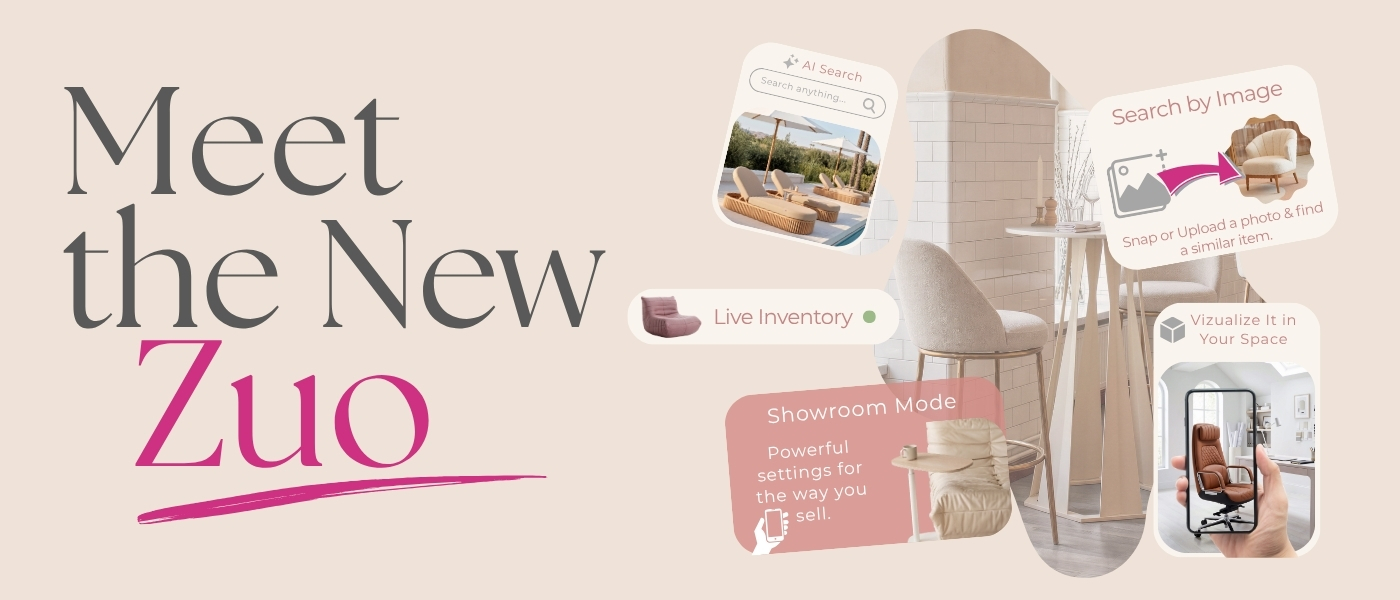
What if your furniture supplier’s website could help you find a product from a reference photo, upload a photo of your space and see how the item would look there, filter all the barstools with 100+ pieces available for that big project or hide wholesale pricing during a presentation?
That is the kind of website we wanted to build—and now it is here.
The new Zuo Modern website is more than a fresh design. It represents a major investment of time, collaboration, testing and careful attention to how our customers actually work. Every new tool was developed with a practical goal: helping interior designers, retailers, hospitality professionals, stagers, specifiers and e-commerce partners spend less time searching and more time creating, presenting and completing projects.
Here is a quick look at what is waiting for you:
Find It Faster: Narrow the Zuo collection by inventory quantity, earliest ETA, price, materials, features, assembly requirements and more.
Search the Way You Think: Use traditional text search, describe what you need in everyday language or upload an inspiration photo to find visually similar products.
Discover More Options with AI: Found something close but not quite right? Instantly explore similar Zuo products based on visual similarity using AI.
See It in the Space: Upload a photo of the space and visualize products in the actual space before presenting them or making a decision.
Present Without Showing Your Cost: Turn on Showroom Mode to browse alongside customers while keeping your wholesale pricing hidden.
Save Projects and Pick Up Where You Left Off: Organize multiple carts and wish lists for different clients, rooms, properties or purchasing projects.
Manage Everything in One Place: Review orders, invoices, account information, downloads, swatch requests, saved carts, wish lists and user permissions from a redesigned dashboard.
Get Hands-On Help When You Need It: Tell us what you are looking for, and our team can create a wish list that will appear in your account the next time you log in. When requested, we can also provide on-demand account assistance, answer website questions and help you review or complete an open cart or unfinished order.
And that is only the quick tour. Here is a closer look at how the new tools can help you source, present and manage projects more efficiently.
Find the Right Product Faster
More Powerful Filters
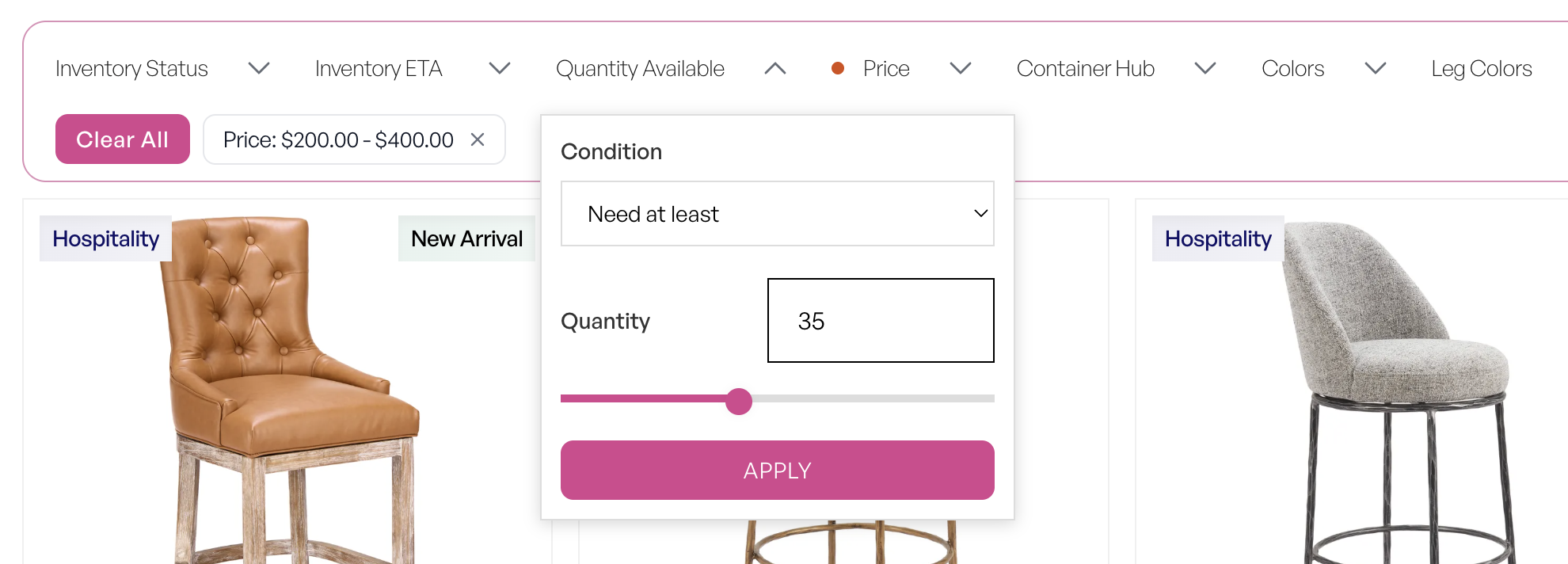
We added more filters than ever before, making it easier to narrow the Zuo collection to the pieces that actually work for your project.
Need at least 100 chairs that are currently available? You can filter by inventory quantity. Working within a specific budget? Filter by price. Looking for stackable seating, swivel chairs, height-adjustable options or products that do not require assembly? You can filter for those too.
Instead of opening product after product to check whether it meets your requirements, you can quickly focus on the options that make sense for your customer, budget and timeline.
AI-Powered Similar Products
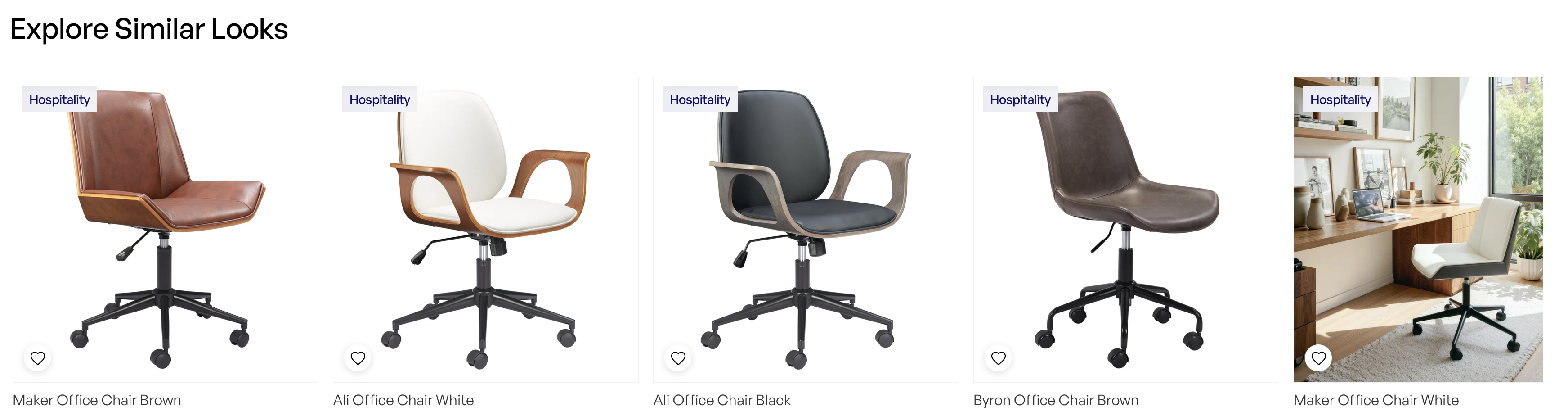
Found a product you love but want to see a few more options? Is the item unavailable, or do you need something with a similar look at a different price point?
Select View Similar, and our AI-powered tool will search the Zuo collection for products that visually resemble the item you selected.
It is like having a product-sourcing assistant ready whenever inspiration strikes.
Search Smarter with AI
Traditional search is still here. Use Text Search to find products by name, SKU, category, material or other product information.

But sometimes you know what you want without knowing exactly what to call it. That is where AI Visual Search comes in. You can describe the look you are trying to find using natural language, such as:
- “Floral accent chair”
- “Curved cream sofa”
- “Modern black barstool with arms”
- “Gold lighting for a hotel lobby”
The AI analyzes both our product information and product imagery to identify options that match your description. You can search the way you think—not just the way a product happens to be named.
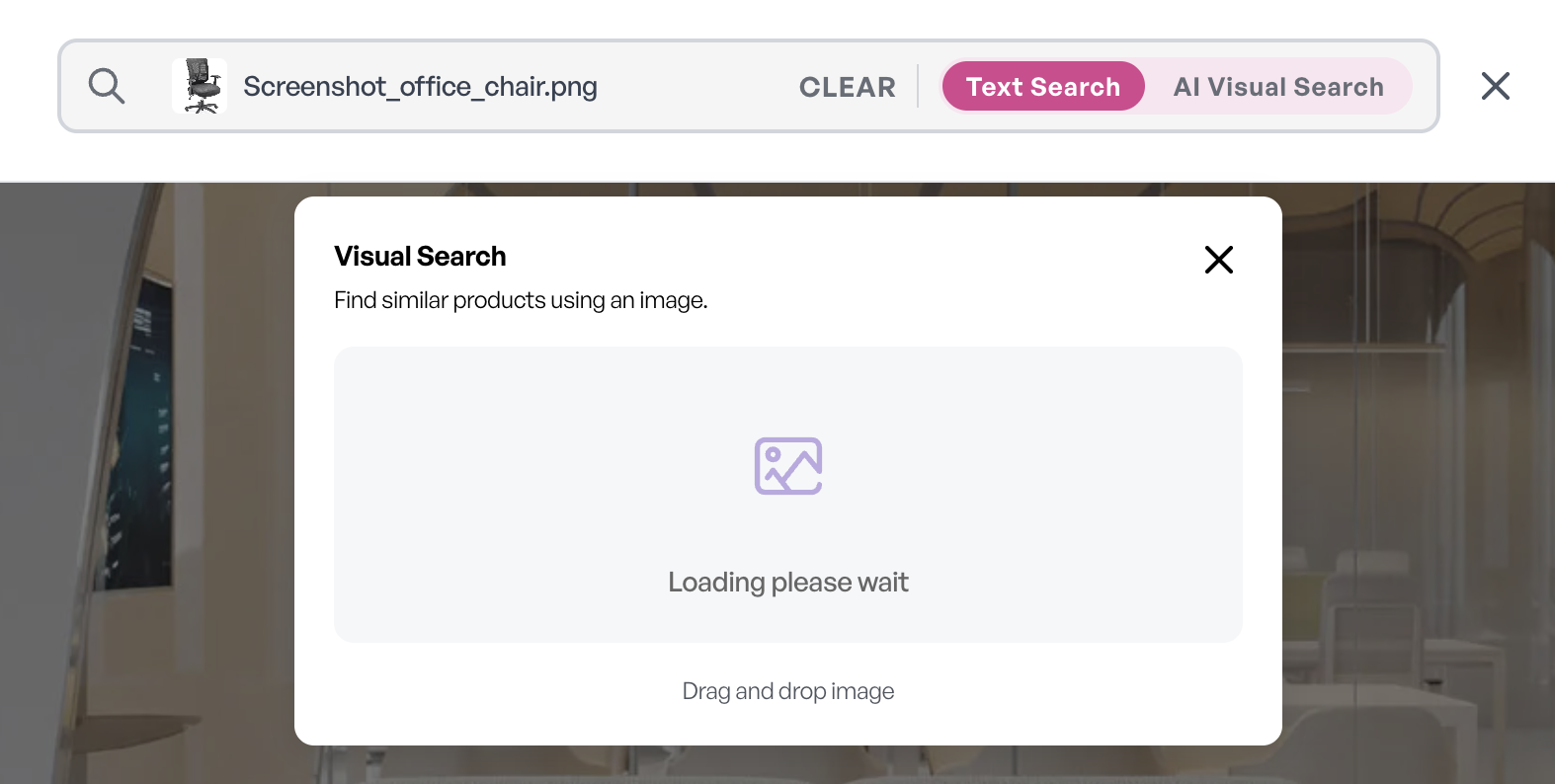
Search Using a Photo
Already have an inspiration image, mood board or customer reference photo?
Upload it directly to our search tool, and the website will find Zuo products with a similar appearance.
This is especially helpful when a client sends you a screenshot and says, “Can you find something like this?” Now, you can.
Visualize and Present
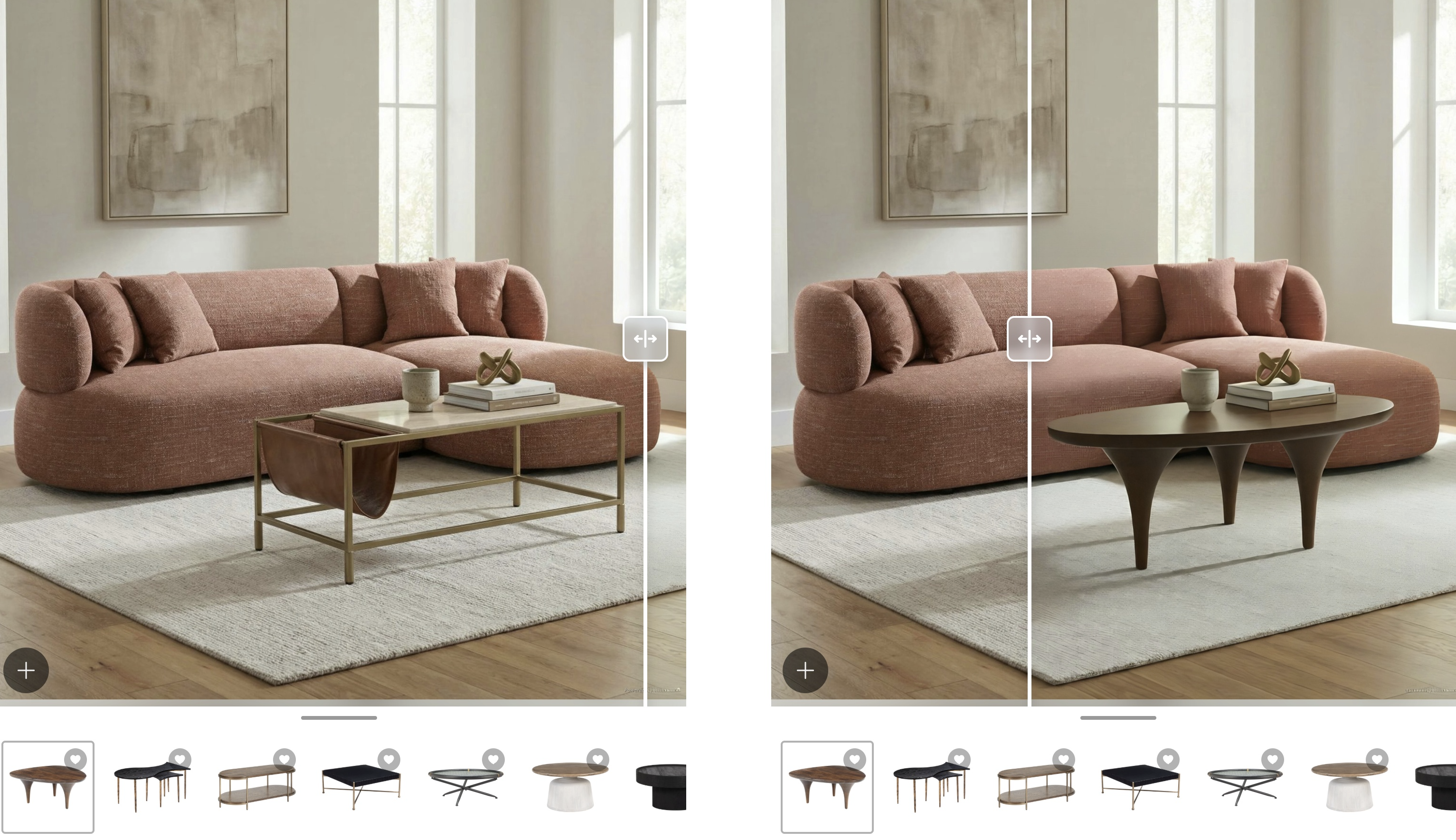
Visualize It in Your Space
Wondering how a product will look in the actual space? With Visualize It in Your Space, powered by Roomvo, you can take a picture or upload an existing image of your space, then place selected Zuo products directly into the image.
The tool is simple to use—choose a product, upload your photo and see it in the space.
Compare different options, plan a room setting, share ideas with clients or help decision-makers picture the final result. Whether you are designing a residence, staging a property, furnishing a showroom or presenting a hospitality project, it is an easy way to bring your selections to life and make decisions with greater confidence.
Present Products Without Showing Your Cost
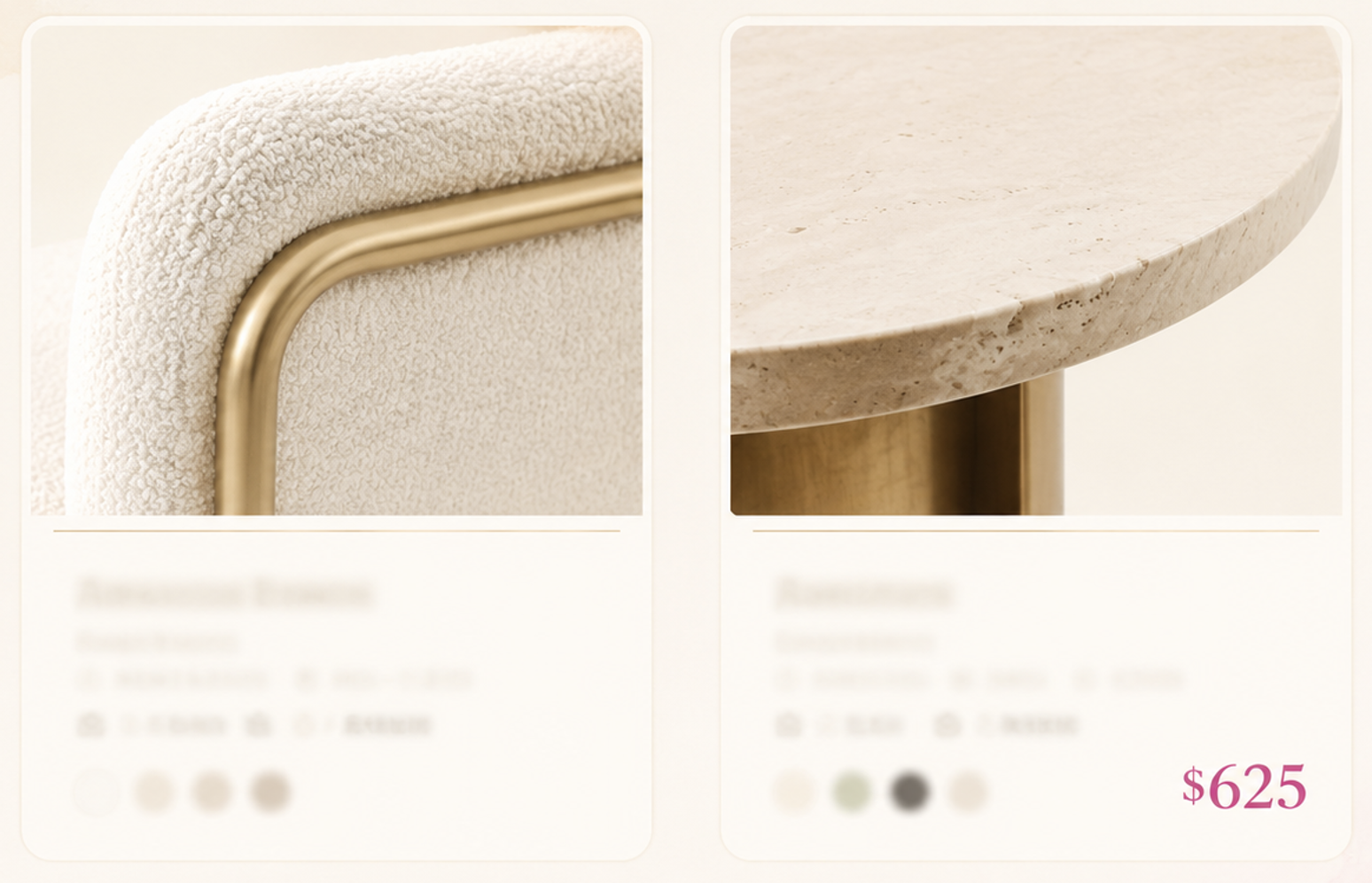
Our new Showroom Mode allows you to use the website as a digital catalog while hiding your product pricing.
Turn it on when browsing alongside a customer, sharing your screen or letting someone explore the collection from your device. They can browse products and check availability without seeing your wholesale pricing.
You stay in control of pricing while your customer gets the full browsing experience.
Manage Projects Without Starting Over
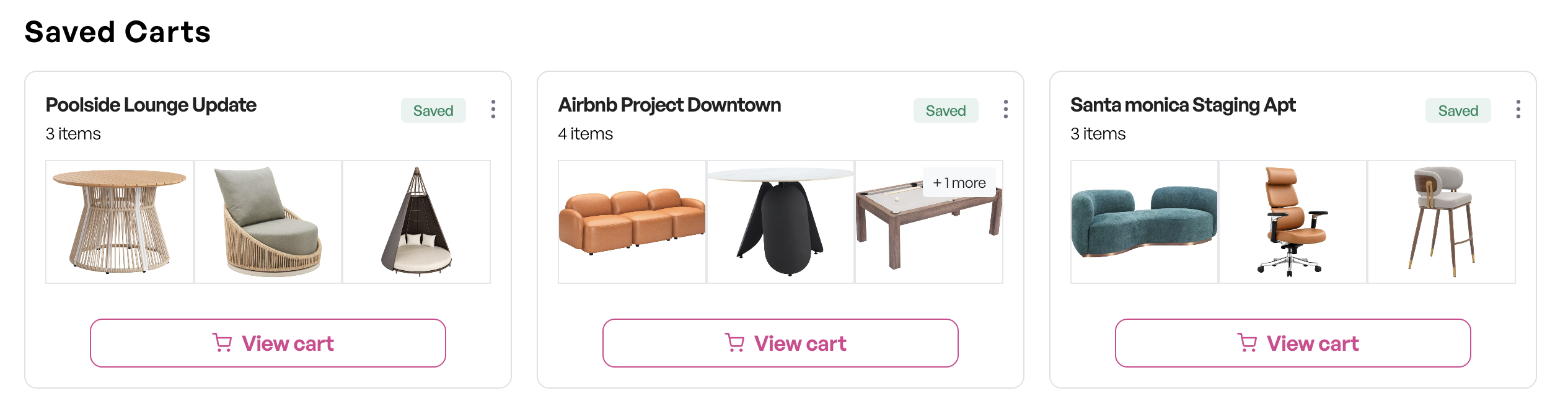
Save Multiple Carts
We know you may be quoting several projects or customers at once.
Add products to a cart, save it with a recognizable name and return whenever you are ready. You can review updated inventory, adjust quantities and submit the order without rebuilding it from the beginning.
Your projects stay organized, even when your week is not.
Let Our Team Build Your Product List
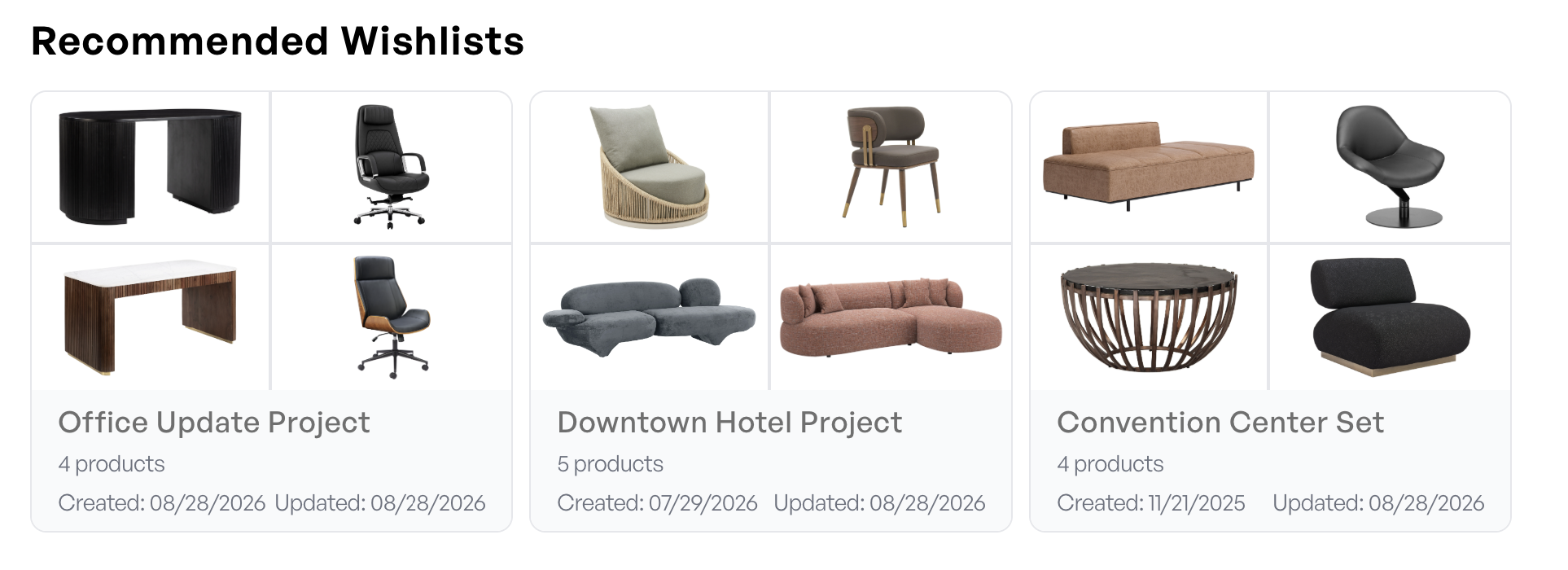
Need help narrowing down the options? Tell your Sales Representative or Account Manager what you’re looking for—something as specific as, “Show me black office chairs under $100 with at least 30 units available.” Our team can use the website’s advanced filters to quickly build a curated selection around your requirements.
We can also save those products as a wish list directly to your account. When you are ready, simply log in, open My Account > Wish Lists, find it under Recommended Wish Lists, review the selections and add the products to your cart—without having to search for everything again.
A Brand-New My Account Experience
We also redesigned the My Account area to give you one convenient place to manage your Zuo account and activity.
From your account, you can:
- Download price lists, catalogs, forms and data sheets
- Review your order history and check current order status
- View your invoice history
- Manage subaccounts and assign permissions to other users
- Organize wish lists
- Access saved carts
- Track swatch requests
- Review important account information
Whether you are working independently or managing a larger purchasing team, the new dashboard makes it easier to find the information you need.
Know What You Can Actually Order
Live Inventory & Incoming ETAs
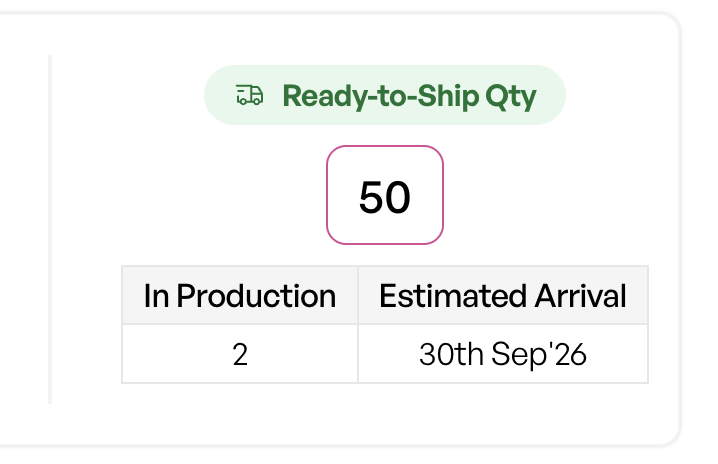
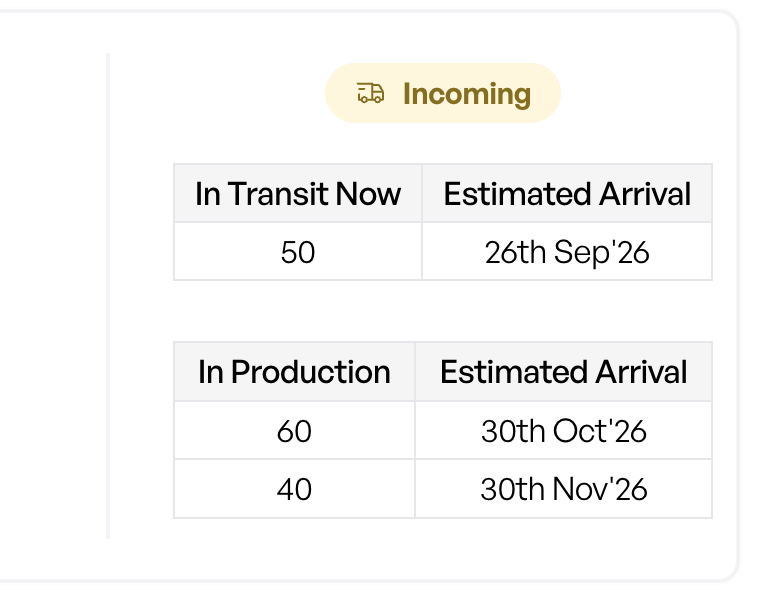
See current and incoming inventory at a glance:
- What is currently in stock
- What is in production
- What is already in transit
- When additional inventory is expected to arrive
This helps you set accurate expectations with your customers and make better decisions around project timelines.
More Product Information
We know accurate product data is essential when specifying, quoting or presenting furniture.
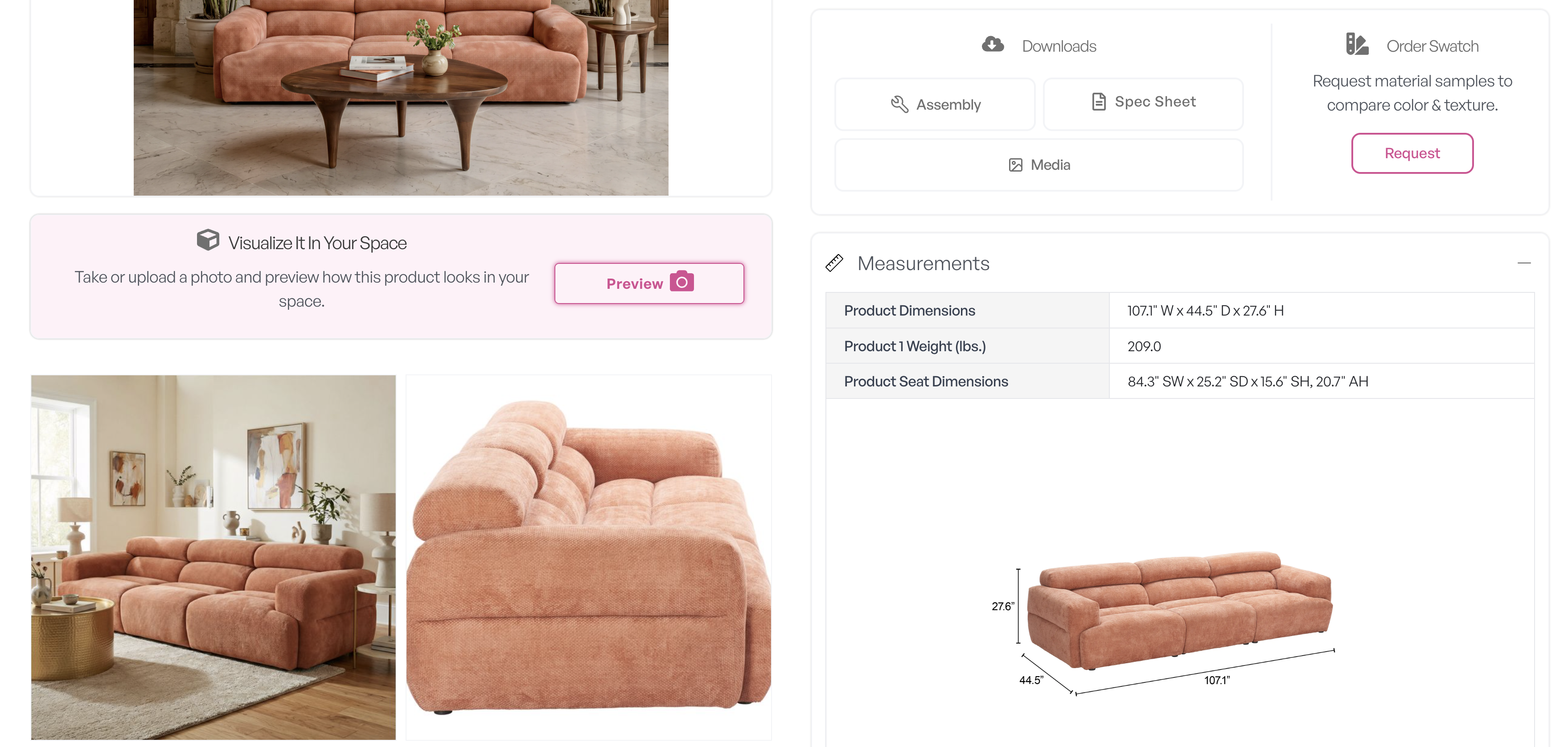
Our updated product pages bring more specifications and supporting resources together in one place. Depending on the product, you may be able to:
- Review detailed dimensions and materials
- Download specification sheets
- Download assembly instructions
- Download product images
- Request a swatch
- Watch product videos
- View available 3D models
- Use the product in our room visualization tool
Everything is organized to help you move from discovery to decision more efficiently.
Small-Parcel Shipping Costs
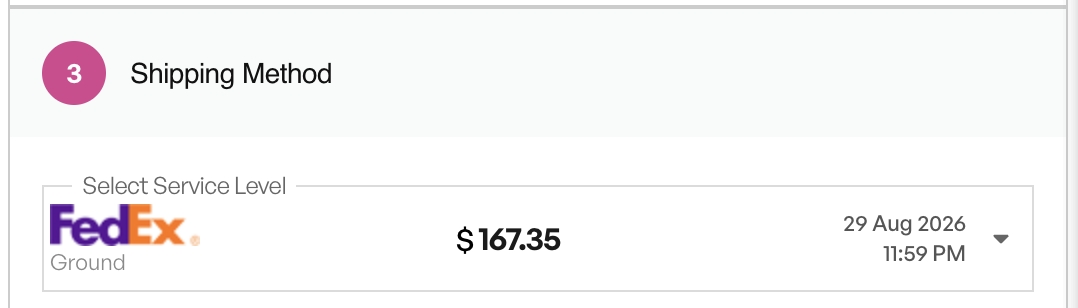
For eligible small-parcel orders shipped through our carrier account, you can view estimated shipping costs directly in your cart and take advantage of our negotiated rates and available service levels.
You can also continue using your own carrier account or ask our team to quote larger LTL shipments.
Get Help When You Need It
On-Demand Account Assistance
When you need a little extra help, our customer service team can provide hands-on account assistance. With your permission, an authorized team member can securely access your account to troubleshoot an issue, answer questions or guide you through the ordering process.
We can also help review an open cart, confirm product details or make requested adjustments so you can pick up where you left off.
Flexible Payment Options
Choose the payment method that works for your account, including:
- Credit card
- Established payment terms
- Check
- Bank transfer
- Credit Key – Pay Over Time
Resale Certificate Status and Tax Calculation
You can confirm whether your account has a valid resale certificate on file.
When a valid certificate is not available, our tax integration can calculate applicable taxes during checkout. You may still submit the order and provide an updated resale certificate afterward.
Visit Our Showrooms—In Person or Virtually
And when you want to experience the collection beyond the screen, visit one of our physical showrooms to explore the latest introductions, see materials and finishes up close and discover how pieces come together in complete settings.
Cannot make it to a showroom or missed the latest market? You can still explore the space through our Matterport virtual tours.. Move through the showroom at your own pace, revisit featured displays and see many of the products we showcased—wherever you are and whenever it works for you.
Built in Partnership with WizCommerce
We developed the new website in partnership with WizCommerce, a trusted technology partner that understands the unique demands of the B2B furniture industry.
“We began working with Zuo in 2024, equipping their sales team with an AI-first sales rep app for order writing, live inventory and in-person presentations. The new website extends that same capability to Zuo’s buyers, with AI visual search, similar-product discovery and room visualization. This is what a real partnership makes possible,” says Div Makkar, co-founder and CEO of WizCommerce.
The result is a modern website with improved navigation, smarter search capabilities, more detailed product information and AI-powered tools designed to help you find, present and purchase products more efficiently.
“Seeing this website finally come together is incredibly exciting because so much thought went into how our customers actually work and how technology can make that easier. Zuo has always tried to stay ahead when it comes to technology, and this project gave us the opportunity to take that even further. We were fortunate to have strong partners like WizCommerce supporting us along the way,” says Miguel Gonzalez, IT director at Zuo.
Ready to Explore?
The new Zuo Modern website was built for the realities of your day: managing deadlines, balancing budgets, presenting ideas, checking availability and keeping multiple projects moving at once.
We are excited for you to explore it, test the new tools and discover a smarter way to source from the Zuo collection.
Take it for a spin—try an AI search, upload an inspiration photo, build a saved cart or see one of our products inside your own space.
And whenever you need help, the same Zuo team you know is here for product questions, sourcing, orders, website support and anything else you need.
Welcome to the new Zuo website. We cannot wait to see what you create.